Reference · Level 2 · one of the five
Sales and marketing: the follow-ups due today, not the ones you meant to do
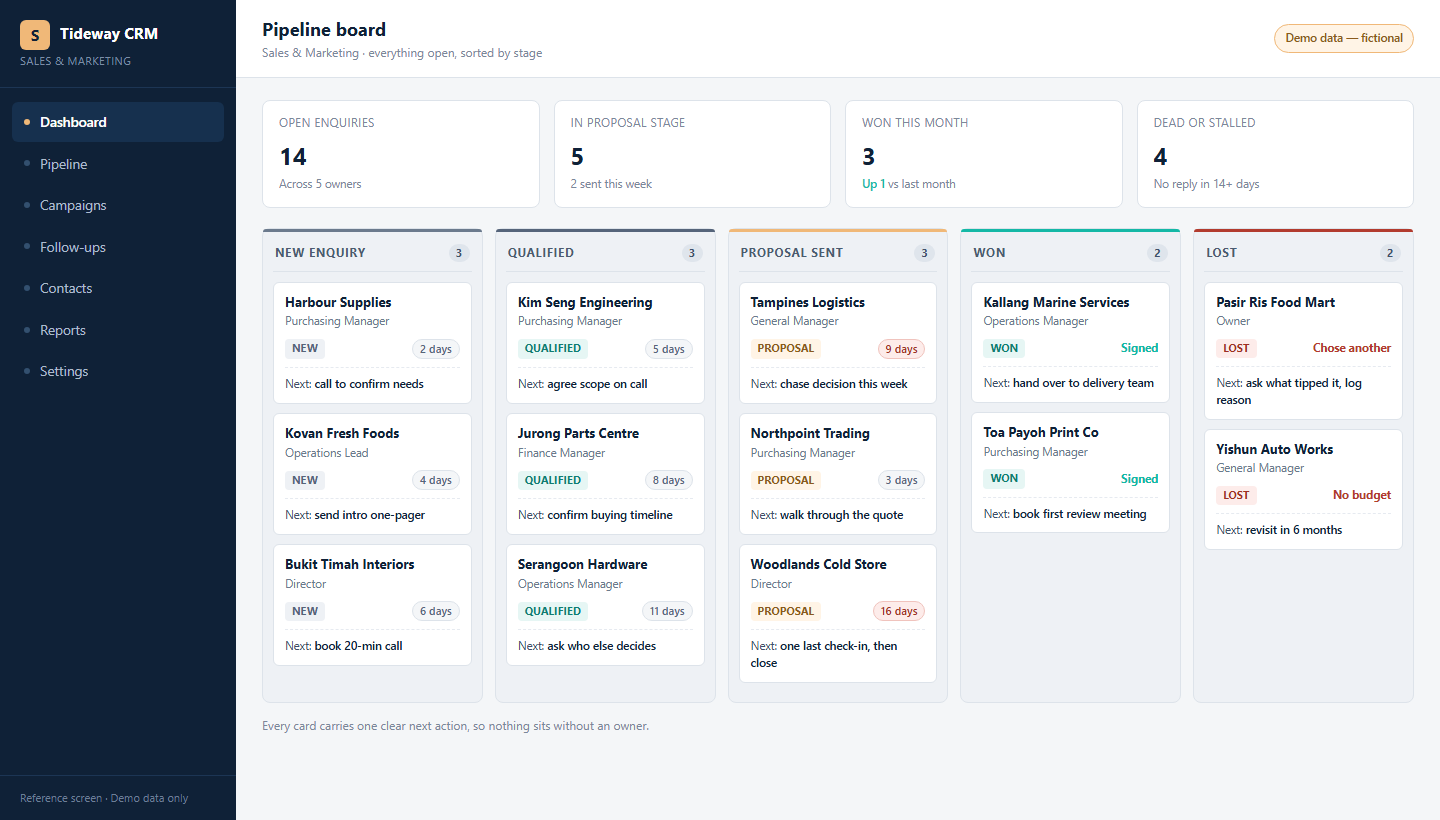
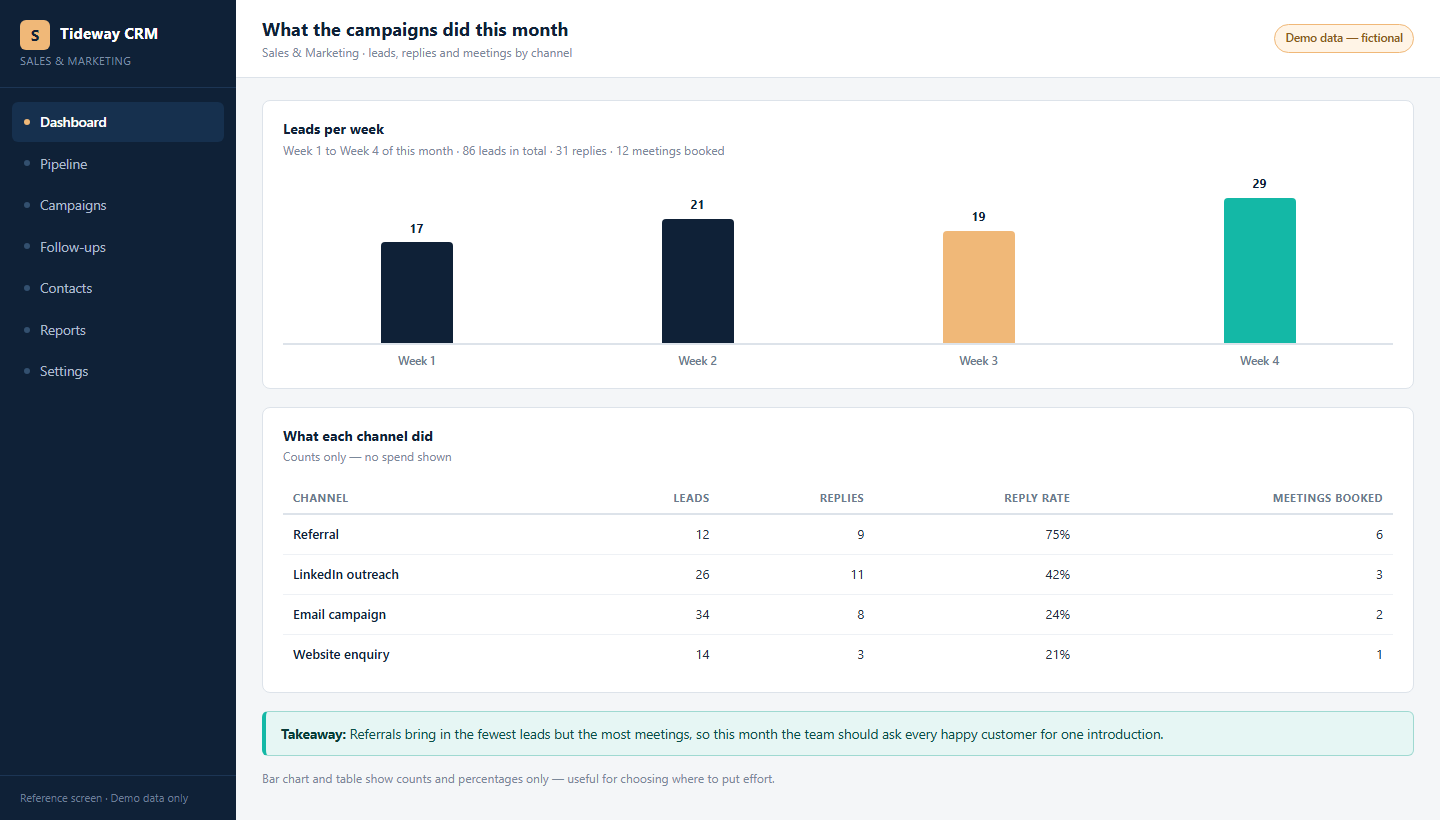
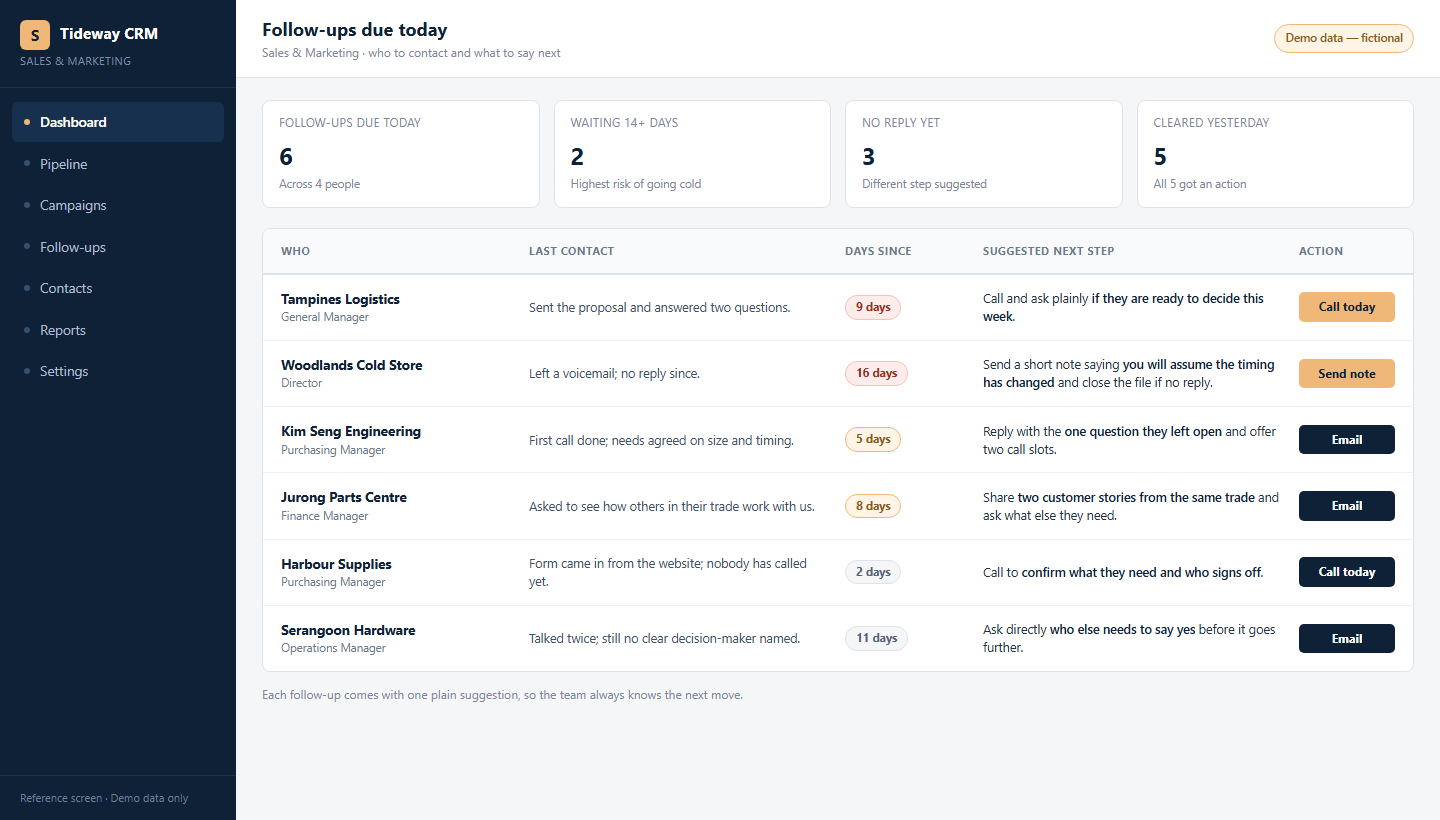
Every enquiry on a board that says what happens next, what the campaigns really produced week by week, and a worklist of follow-ups due today with the last contact and the next step for each.
Part of the OwnYourAI corporate AI training reference. Every enquiry, what the campaigns actually produced, and the follow-ups due today - in one place.
A quick look at what you can build: three screens showing the shape of the system and what it does, on illustrative data. No client's system and no client's data is shown. It is fair to want to see the work before you commit a seat.
Three screens
What the people who use it see
Same system, three moments in a working week.
Why the AI version
Why the AI version of sales and marketing
Most companies already run a CRM and a mail tool. Neither of them writes the follow-up.
- What it costs you now. Last month's campaign numbers get assembled out of three tools into a spreadsheet, and the follow-ups are written at nine at night.
- With the AI version. One sentence - what did the campaigns do this month - and the month is written up with the channels that actually brought replies, and the leads that went cold are on the list.
- The part your current software cannot do. It stores the contacts. This reads the thread, the quote and the enquiry, and writes the follow-up in your voice.
Behind the screens
What the course actually builds
The screens are the easy part to look at. This is the part that decides whether the system survives its first month - and the software and the data are the company's own. The machine under it is one we provide or recommend, so there is no hardware to buy; owning the whole thing is Level 3.
- Nothing left sitting. Age on every card, so a quiet enquiry is seen while it is still worth answering.
- Numbers, not impressions. Leads, replies and meetings booked per channel, so the spend that works is the one that stays.
- A daily worklist. Who to contact today and what to say, built from what was last said.
- One owner per enquiry. Every enquiry belongs to a person, from first reply to closed.
Session by session
The 8 sessions: building the follow-up system
Every session is online learning at the person's own pace, with a scheduled live touchpoint inside it and a trainer present. Each one ends with something your company keeps: 24 hours in total for L2.
| # | The session | What your team does with it | What your company has at the end |
|---|---|---|---|
| 1 | Pick the job | The follow-ups due today, the quotations in progress and the enquiries nobody has answered are put side by side, with what each is worth. | One job chosen, with the number of enquiries it touches every month. |
| 2 | Map the enquiries and the price list | Where enquiries arrive, what was last said to each one, and the price list and terms the company quotes from. | A one-page map of the channels and the records, plus the rule that a customer's file never leaves the company. |
| 3 | Write the brief, and the three limits | What the agent does — build the daily worklist, draft the follow-up, prepare the quotation — and what it never does. | A signed brief: it never quotes a price it cannot show the source for, it never invents a commitment, and nothing is sent without a person. |
| 4 | Build the worklist | Who to contact today, what to say, and the age on every enquiry, so a quiet one is seen while it is still worth answering. | A first working version running on the company's own enquiry records. |
| 5 | Test it against last month | Last month's enquiries are replayed: which ones it would have followed up, which it missed, and the ones it would have got wrong. | The difference list against a real month, including the near-misses. |
| 6 | Guard it | Who may see which pipeline, what may never leave the company, what is logged, and which messages always need a person to read them first. | The access list, the log, and the rule for anything that goes to a customer. |
| 7 | Put it into the week | The morning list, who works it, and the numbers read on a Friday: enquiries, replies and meetings booked by channel. | The daily and weekly routine on one page, with a named owner. |
| 8 | The build assessment | A real day's enquiries are worked live in front of the trainer. | A running sales and marketing assistant: the agent, its brief, its limits, its log, and a named owner. |
Where these screens come from
A quick look at what you can build: three screens showing the shape of the system and what it does, on illustrative data. No client's system and no client's data is shown.
Built in the company's own accounts, on the company's own documents, with its own staff logins: the software and the data stay with the company. The machine under it is one we provide or recommend - no hardware to buy. Owning the whole thing is Level 3.
We keep it fair: your documents, your accounts, your numbers.
Next step
Start with the free AI Readiness Report
Tell us the team and the work. We send back a written report on what to build first, what it would take, and what it would change - before you commit to a single seat.
No fee is quoted until you ask for one.